Google Calendar integration
Prepare for the right one-on-one at the right time
A calendar knows when you meet; ModoPersona knows which person-specific context may matter. The Google Calendar connection reads upcoming events, matches attendees to direct reports, and creates a preparation entry without changing the calendar event.
Private workspace for one manager. No employee accounts required.
Illustrative product example
Example upcoming meeting
1:1 with Priya · Tomorrow at 09:30
Google Calendar · matched by attendee
- One open manager commitment
- Two recent context items with sources
- Preparation is ready before the meeting starts
The job to be done
A reminder that says “1:1” is not a preparation brief
Back-to-back meetings leave little time to remember the last conversation. Calendar matching gives ModoPersona a reliable moment to retrieve context while keeping meeting attendance separate from any assessment of the employee.
How ModoPersona handles it
A focused workflow, with the source still visible
Connect your primary calendar
Authorize read access through Google OAuth. ModoPersona reads the upcoming seven-day event window needed to find relevant one-on-ones.
Match attendees to direct reports
Event attendee email addresses are used to match meetings to people already in your workspace. Unmatched events do not become employee records.
Open the prepared context
The scheduled meeting can carry a generated briefing based on that direct report's approved notes, commitments, and evidence.
See the workspace
Context stays useful because you can inspect it
The walkthrough uses synthetic data to show preparation, person-specific context, evidence, and manager commitments in one workspace.
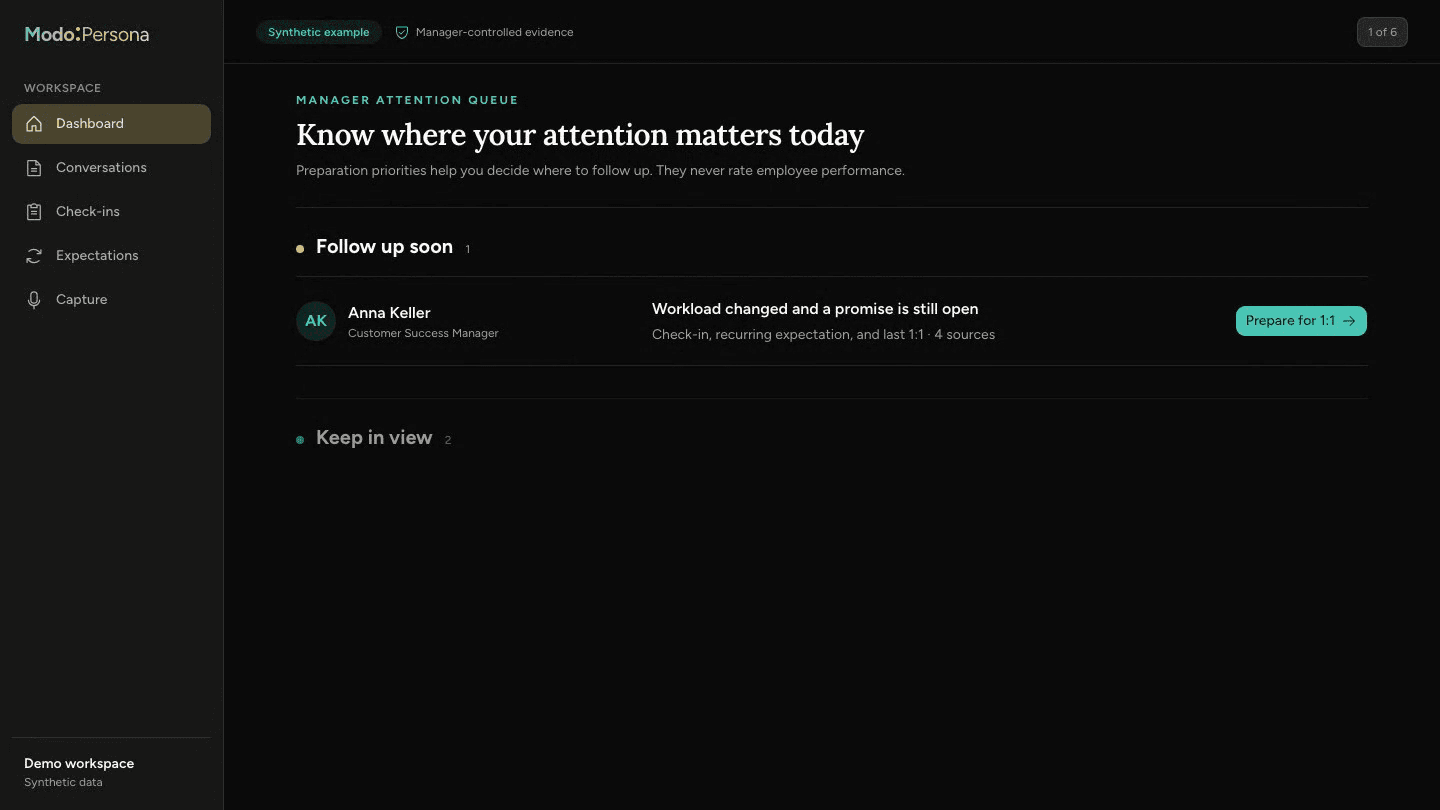
Calendar access is used for preparation
ModoPersona reads the event window and attendees required to identify a 1:1. A meeting appearing on the calendar is not evidence of performance, engagement, or relationship quality.
Questions managers ask
- Does ModoPersona edit Google Calendar events?
- No. Calendar data is read to identify and prepare for upcoming one-on-ones.
- What happens when an attendee is not a direct report?
- ModoPersona only matches attendees to people already represented in the manager's workspace; an unmatched attendee does not create a profile automatically.
Continue exploring ModoPersona
- Use casesBring a useful question to your next one-on-onePrepare one-on-ones from past agreements, recent notes, and your own promises. A worked example and a ten-minute preparation guide.
- Use casesManager notes that return when they are usefulKeep private, person-specific manager notes with dates and context, then retrieve them when preparing for a one-on-one.
- IntegrationsConnect Outlook to prepare before every one-on-oneRead upcoming Microsoft Outlook calendar events, match one-on-ones to direct reports, and retrieve relevant manager context.
Prepare for one better conversation
Start with one direct report, bring in the context you trust, and see what returns before the next one-on-one.
Start a 14-day trial