ModoPersona for engineering managers
Prepare engineering 1:1s with Jira context and past conversations
Start with the next conversation, review what you both promised, and choose the work context that deserves a question. ModoPersona brings person-specific notes, commitments, and connected work into preparation so you can decide what to clarify, unblock, or follow up on.
Private workspace for one manager. No employee accounts required.
Illustrative product example
Worked engineering example
Priya’s rollout is late. You still owe her an answer.
Fictional example · Google Calendar, Jira, and a previous 1:1 note
- Calendar · The next 1:1 with Priya is tomorrow at 09:30.
- Jira · PLAT-184 is still in progress after the planned rollout date.
- Previous 1:1 · Priya asked who could approve the rollout. You promised an answer by Friday.
- Question · “I haven’t confirmed the approval owner yet. Is that still blocking you, or has something else changed?”
The job to be done
A delayed ticket does not tell you what to ask
A migration is still open in Jira. Last week, the engineer asked who could approve the rollout, and you promised to clarify ownership. The calendar tells you the next 1:1 is tomorrow. The useful preparation question is whether your missing answer is holding things up. The ticket alone cannot answer that.
How ModoPersona handles it
A focused workflow, with the source still visible
1. Start with the calendar and the person
Check the next 1:1 and the direct report it belongs to. A connected calendar gives you the meeting time. It does not explain the conversation or supply a transcript. You can also prepare directly from the person’s page without connecting a calendar.
2. Check the ticket and your last conversation
When Jira is available in Settings, connect it and link the correct Jira user to the direct report. Review recent assigned issues alongside dated notes and open commitments. In this example, PLAT-184 is delayed, but the previous note records an unclear approval owner and your promise to resolve it. Check the original sources and sync status before assuming the context is current.
3. Ask what would help, then follow through
Ask what is blocking the rollout and what decision the engineer needs from you. After the conversation, record the outcome you have confirmed, your next action, and the agreed timing. At the following 1:1, revisit that commitment and ask what changed. Keep the employee’s explanation distinct from what the ticket shows.
See the workspace
Context stays useful because you can inspect it
The walkthrough uses synthetic data to show preparation, person-specific context, evidence, and manager commitments in one workspace.
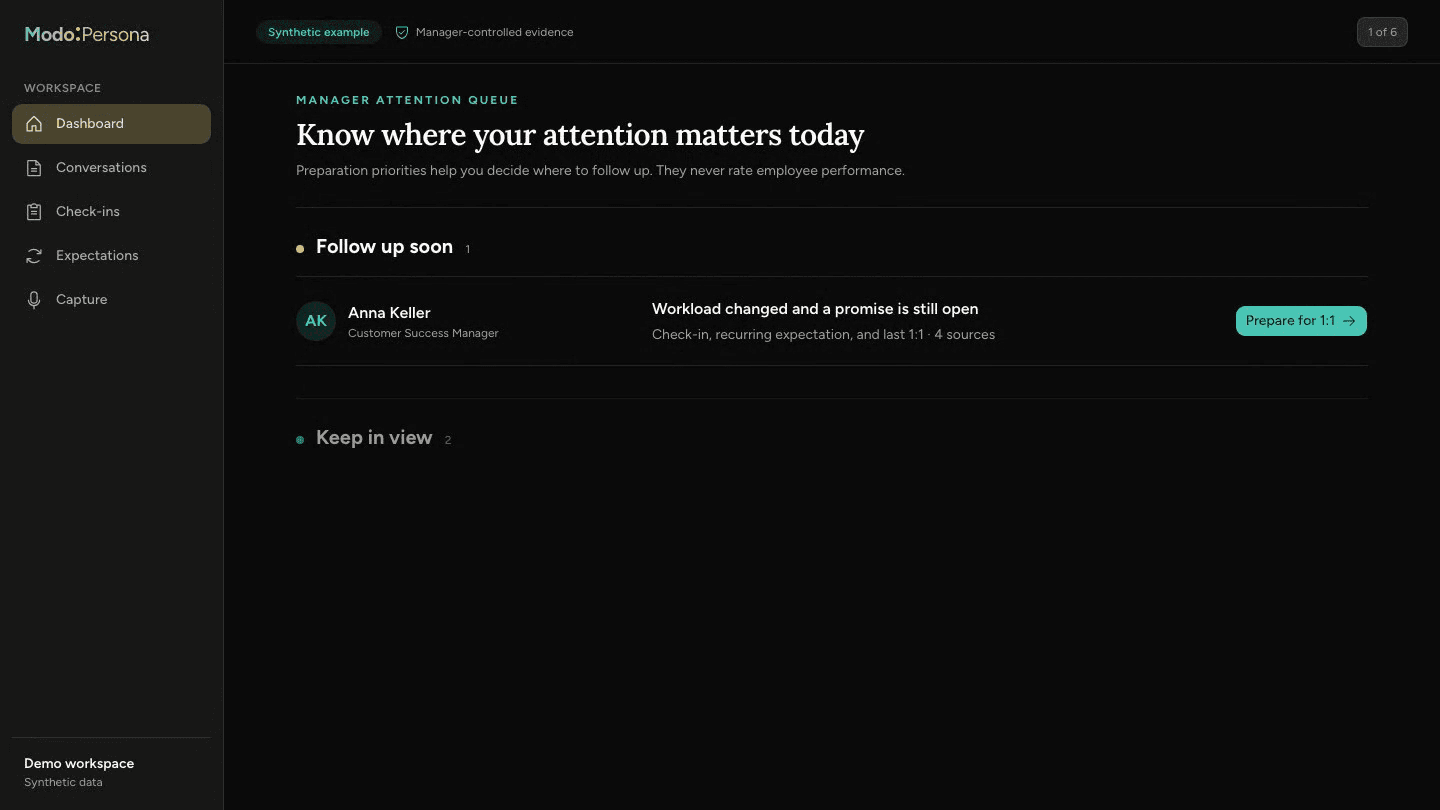
Use work context to ask better questions
A late issue does not establish poor performance or tell you how someone feels. ModoPersona keeps connected work read-only and does not turn ticket counts, meeting attendance, or issue status into employee scores. You check the evidence and make the managerial decision.
Questions managers ask
- Do I need Jira and Google Calendar to prepare a 1:1?
- No. You can start with private notes and commitments. Connections are optional and depend on availability in Settings and the access you authorize. If a source is unavailable or stale, check it directly instead of treating missing context as a fact.
- How does this help with the following 1:1?
- Record and confirm what was agreed after the conversation. Open commitments and confirmed context can inform the next preparation. For this example, check whether you named the approval owner and ask Priya what still needs support; do not assume the migration finished because your action is complete.
Continue exploring ModoPersona
- Use casesTrack the promises you make as a managerKeep manager-owned promises visible with the person, source, and due date so they return before trust depends on remembering them.
- Prepare for a 1:1: 10-Minute Guide | ModoPersonaPrepare for your next 1:1 in ten minutes: revisit past promises, choose two questions and decide where to help. Includes a fictional two-meeting example.
Prepare for one better conversation
Start with one direct report, bring in the context you trust, and see what returns before the next one-on-one.
Start a 14-day trial